
The mail checker for Windows. See new emails instantly.
Advanced Mailcheck is the mail checker for Windows: it runs quietly in the background, checks all your mailboxes and lets you know the moment a new email arrives – no email program needed. Completely redeveloped for Windows 10 and 11.
Set up before your coffee is ready.
Install from the Store
One click in the Microsoft Store – no registration, no account with us.
Enter your email address
The server settings are found automatically. All you enter is your password.
Sit back
Advanced Mailcheck starts with Windows and lets you know as soon as a new email arrives.
Everything a mail checker should do.
And a few things more. Advanced Mailcheck has been around for more than 15 years – version 4 has been rewritten from the ground up.
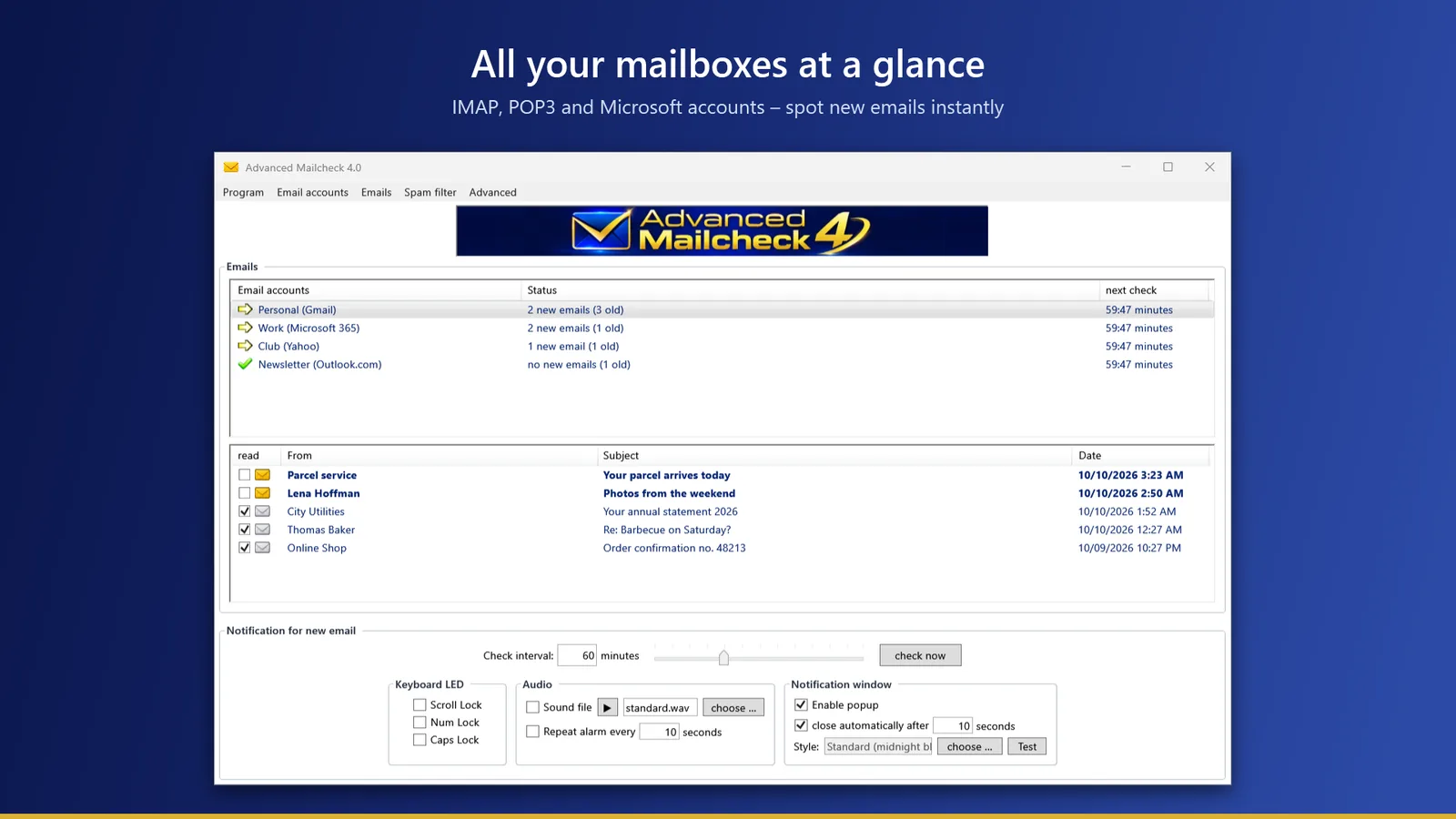
All accounts at a glance
Personal, work, club: each account gets its own row showing its status and the next check. Below it, you see the sender and subject of new emails.
- IMAP and POP3 – Gmail, Yahoo, GMX, WEB.DE, T-Online and many more
- Microsoft 365, Outlook.com and Hotmail via Microsoft sign-in
- Check interval of your choice, down to every minute
- Four font sizes – easy to read even on large screens
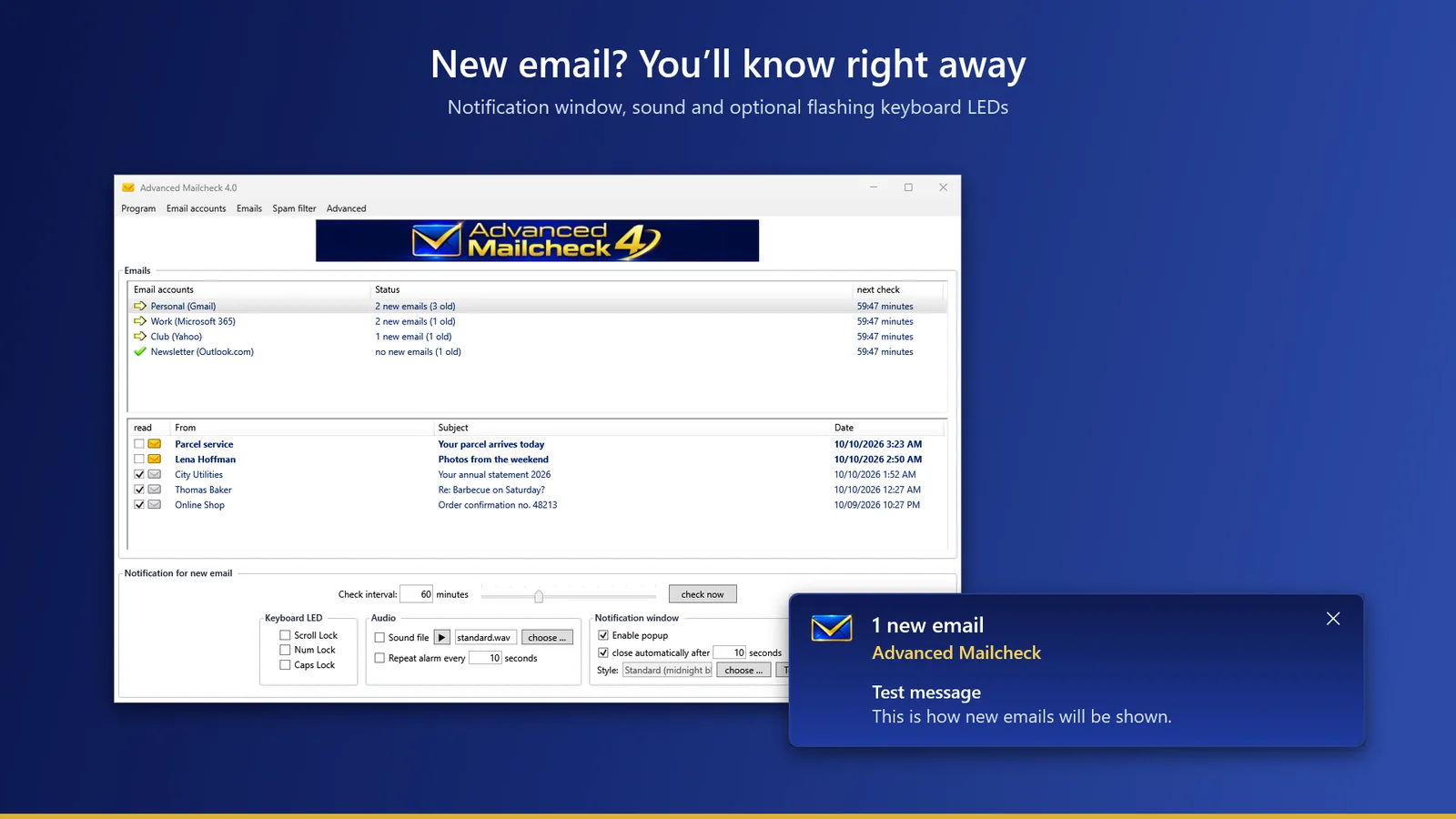
You’ll know right away
A notification window slides in, with your own sound if you like – and if you’re not looking right now, the keyboard LEDs keep flashing.
- Notification window that can close by itself
- Your own WAVE file, with repetition if you like
- Flashing Scroll Lock, Num Lock and Caps Lock LEDs
- Icon in the taskbar notification area
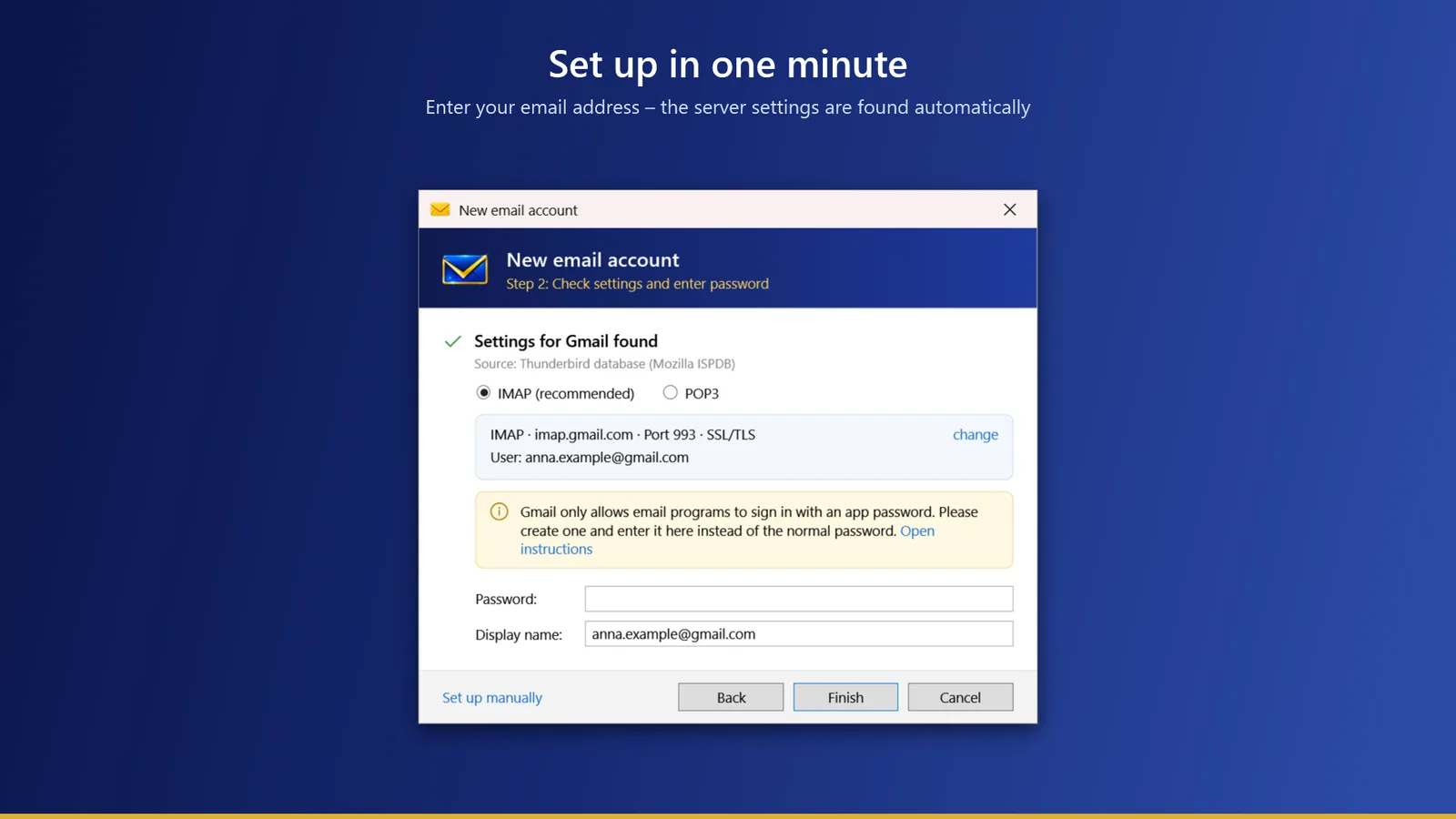
Set up in a minute
Enter your email address and the wizard does the rest: it looks up the settings with your provider and in Thunderbird’s database, and warns you about common pitfalls – for example, when IMAP has to be turned on first.
- Server, port and encryption are found automatically
- Only the domain is sent – never your address or password
- Manual setup is always possible
Take a look – no email program needed
A double-click is all it takes to read an email. Delete ads and spam right on the server – before your email program even downloads them.
- Read, delete or mark emails as read
- Open and save attachments, show headers
- Open in your own email program with one click
 Delete email
 Open in email client
 Show email header
Close
Which design suits you?
From plain to playful – a small selection of the 21 notification windows. Click through them.
Mail checker for Gmail, Outlook.com, Yahoo and more.
Advanced Mailcheck checks your mailboxes directly with your provider – no matter where your email addresses are hosted. The mail checker knows the settings of the major providers and finds the rest automatically. Unlike a browser extension or a webmail tab, it runs independently of your browser and checks all your accounts in one program.
Using a provider’s own browser extension, such as GMX MailCheck or WEB.DE MailCheck? Advanced Mailcheck keeps an eye on all your mailboxes at once – regardless of provider and without an open browser.
Your emails stay with you
Advanced Mailcheck checks your mailboxes directly with your provider. Accounts, passwords and emails never leave your PC – we never get to see them.
- Passwords stored encrypted
- Microsoft accounts via the official Microsoft sign-in
- No Bit-Bite account required
Everything moves over automatically
Advanced Mailcheck 4 finds your existing accounts and settings on first launch and imports them if you like – including check interval, sound, keyboard LED and notification window.
- Import accounts and settings from version 3
- Outlook.com accounts are switched to Microsoft sign-in
- Version 3 customers get the upgrade for free
Try it first. Then decide.
For 30 days, you get all features. After that, Advanced Mailcheck keeps running for free as the Lite version – or you unlock the full version with a license key.
| Litefree, after the trial | Full versionone-time, no subscription | |
|---|---|---|
| Email accounts | 1 | unlimited |
| Check interval | every 30 minutes | any, from 1 minute |
| Notification window | Standard | all 21 designs |
| Sound and keyboard LED | ✓ | ✓ |
| Read emails in the preview | ✓ | ✓ |
| Delete, mark as read, attachments, headers | – | ✓ |
| Advanced settings | – | ✓ |
| Updates for version 4 | ✓ | ✓ |
€0 Download |
€9.99 Buy now |
Introductory price. License for your personal use – on as many of your own devices as you like. Small business owner under § 19 UStG (German VAT Act) – no VAT is charged.
Good to know.
What is a mail checker?
A mail checker (also called an email notifier) checks your mailboxes regularly in the background and lets you know as soon as a new email has arrived. You don’t need an email program open, nor a webmail page in your browser. Advanced Mailcheck is such a mail checker for Windows – for any number of accounts with all common providers.
Which versions of Windows does Advanced Mailcheck 4 run on?
On Windows 10 (version 1809 or later) and Windows 11, 64-bit. Everything it needs is included – you don’t have to install .NET or anything similar.
What happens after the 30-day trial?
Nothing bad: Advanced Mailcheck keeps running as the free Lite version. If you have set up several accounts, you choose one to keep checking – the others are kept and come right back as soon as you unlock the full version.
Is this a subscription?
No. You pay once and get all updates for version 4 at no extra cost.
On how many PCs may I use the full version?
The license is for your personal use. As long as you are the one using Advanced Mailcheck, you may install it on as many of your devices as you like – at home, at the office or on your laptop.
I bought Advanced Mailcheck 3. Do I have to pay again?
No, the upgrade to version 4 is free for you. On first launch, version 4 imports your accounts and settings from version 3.
Does it work with Outlook.com, Hotmail and Microsoft 365?
Yes. Microsoft no longer allows password sign-in there – so Advanced Mailcheck uses the official Microsoft sign-in. You only ever enter your password at Microsoft.
Is Advanced Mailcheck an alternative to GMX MailCheck or WEB.DE MailCheck?
Yes – unlike these browser extensions, Advanced Mailcheck is a standalone Windows program that notifies you even with your browser closed and checks GMX, WEB.DE and all other providers together.
GMX and WEB.DE are trademarks of 1&1 Mail & Media GmbH. Advanced Mailcheck is an independent product of Bit-Bite software development and is not affiliated with these companies.
My mailbox isn’t found or sign-in doesn’t work.
With some providers, IMAP or POP3 access has to be turned on in webmail first. You’ll find the settings of the major providers under Mail server information. If that doesn’t help, just write to us – m.gruosso@bit-bite.de.
Ready? Try it free for 30 days.
No registration, no risk – then keep using it for free as Lite.